
- 1
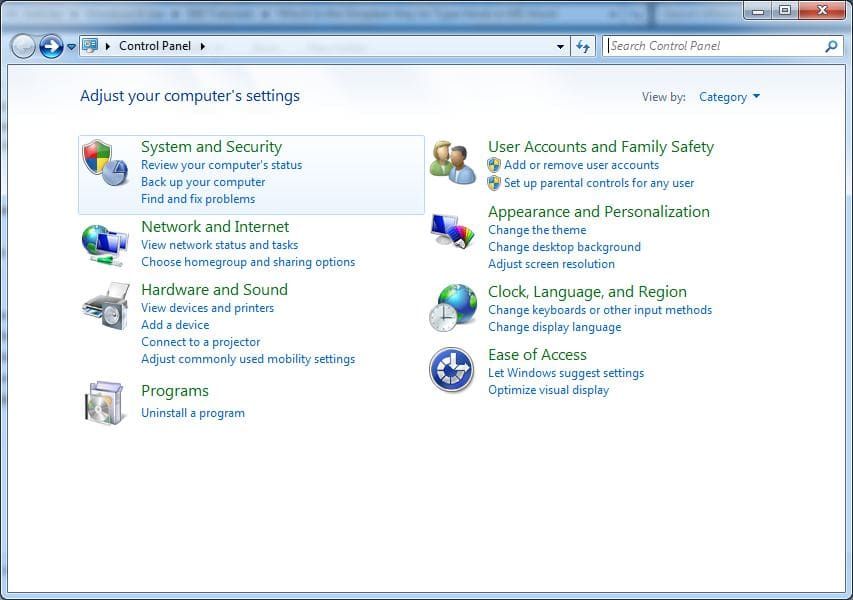
Go to the Control Panel → Clock, Language, and Region → Region and Language.
- 2
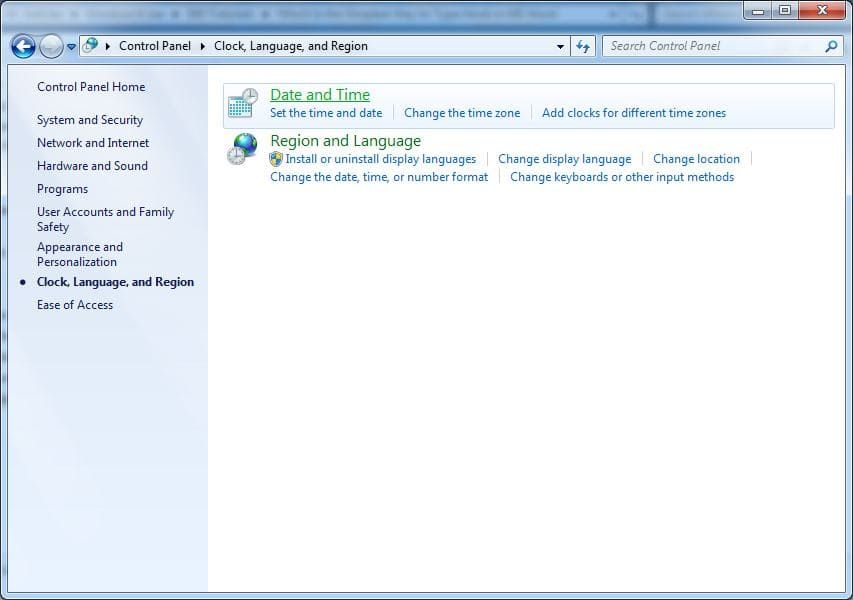
On the opened window, go to the Keyboards and Languages tab.
- 3
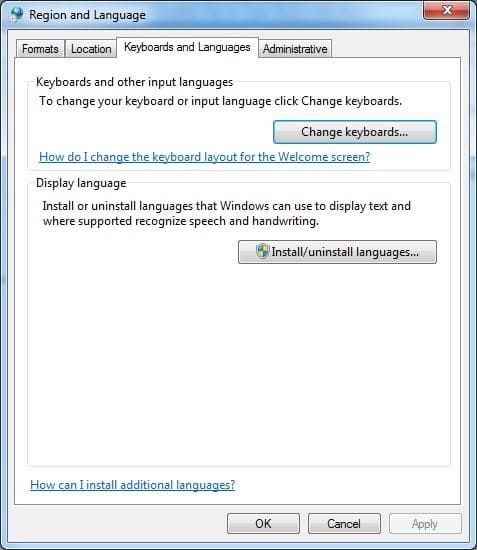
In Keyboards and other input languages section, click Change keyboards button.
- 4
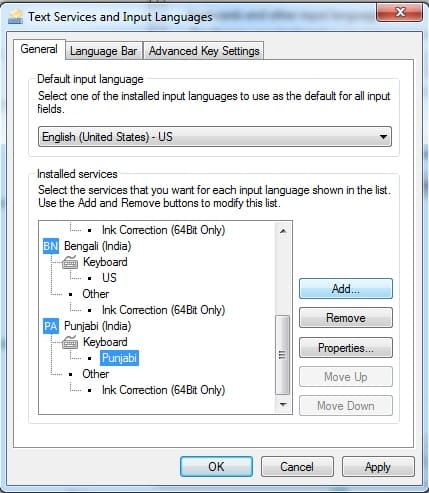
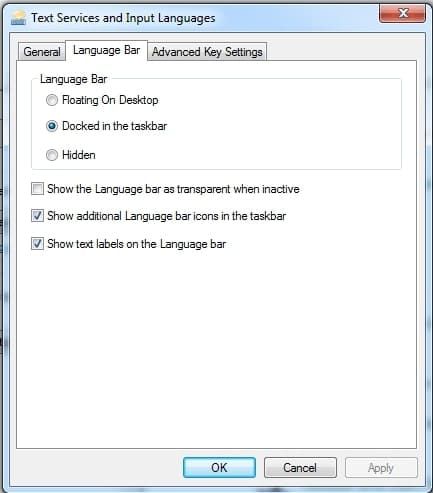
On the opened Text Services and Input Languages box, modify the priority of the available languages as required.
- 5
Click language bar TAB and click docked in the taskbar.
- 6
Click OK on all the opened boxes and windows to save the modifications.
- 7
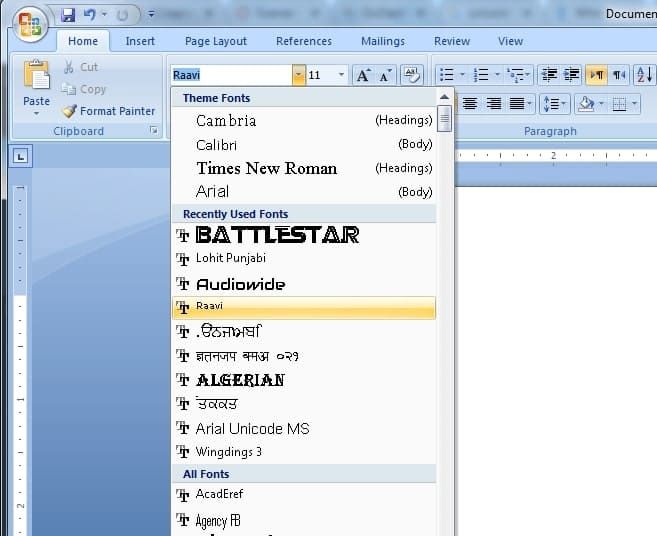
Open MS-Word and select Raavi from Font List.
- 8
Click on EN on right bottom of taskbar and select Punjabi.
- 9
Now type in MS-Word.
Frequently Asked Questions
What is Punjabi Raavi Unicode font?
Raavi is a Unicode Punjabi font officially used for Punjabi typing in Windows, government offices and exams.
Is Raavi font already installed in Windows?
In most Windows versions Raavi font is pre-installed, but if it is missing it can be downloaded and installed manually.
How do I use Raavi font in MS Word?
After installing the Raavi font and Punjabi keyboard, select Raavi from the font list in MS Word and start typing.
Which keyboard is used for Punjabi Raavi typing?
Punjabi Raavi typing uses the Punjabi (India) keyboard layout available in Windows language settings.
Try Trial Version for Free of Typing Tutor Now!!
Need help with installation?
Contact us at info@typingguru.in or call 6280348419